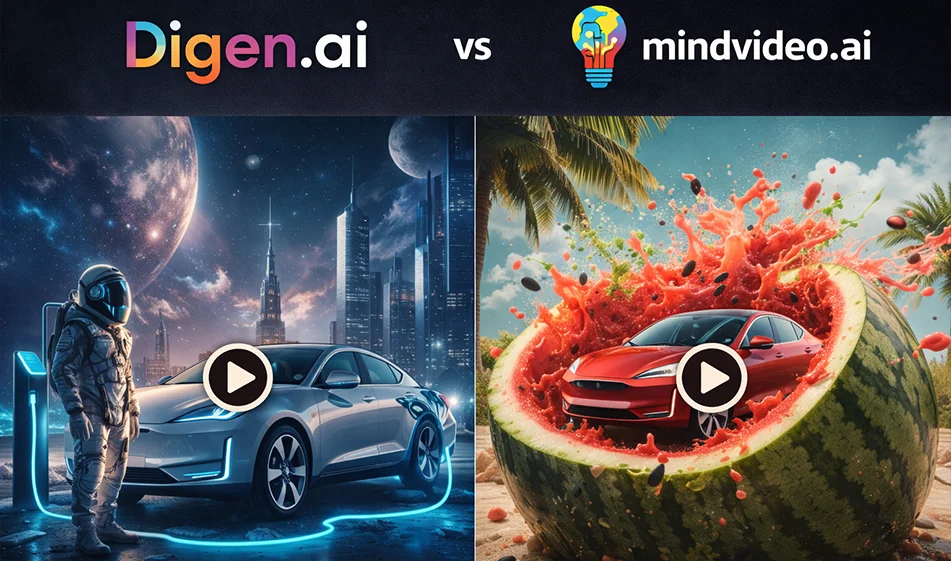
Comparison in a nutshell
- Digen.ai: Tends to be a quick advertising solution that relies on ready-made templates for product images, producing multiple copies quickly and in just a few steps.
- Mindvideo.ai: Tends to be an AI video studio that offers greater flexibility (from text or image) and more stylistic experiments,with the possibility of creating a more cinematic advertisement.
1) Digen.ai: When is it your best option?
- If you have ready-made product images and want to turn them into video ads in minutes.
- If your goal is to produce a large number of copies to test on Shorts and Reels (A/B).
- If you prefer a template that guides the result rather than writing a long description and going into too much detail.
Best uses
- Advertisement for an online store (one product + quick presentation).
- Very short trending copies (8–12 seconds).
- Seasonal campaigns (Ramadan, summer, back to school) with a consistent style.
Clear strengths: Speed + high volume of copies + quick advertising output.
Common challenge: Less control over fine details compared to "studio" platforms.
2) Mindvideo.ai: When is it your best option?
- If you want a creative ad that is closer to a movie, with scenes and transitions or a "short story."
- If you want to start from a script (idea/scenario) or combine text with a product image.
- If you like to experiment with more styles: realistic, anime, cartoon, luxury ad, etc. for the same idea.
Best uses
- Main campaign advertisement (one powerful version).
- Videos with a clear sequence (before/after, problem/solution).
- Building a series of ads with the same identity but with different ideas.
Clear strength: greater flexibility + ability to create a more visually rich ad.
Common challenge: needs better description and more experimentation to achieve the perfect version.
3) Quick decision: Which one do you choose?
- Want a quick, ready-made ad with many versions to experiment with? Choose Digen.ai.
- Want a more creative ad with more styles and scenes? Choose Mindvideo.ai.
4) Fair Compass Test (decides in 10 minutes)
- Use the same product image andthe same marketing feature.
- Set in both tools:
- Aspect ratio: 9:16
- Duration: 10–12 seconds
- Only one idea
- Rate the result on a scale of 5 points:
- Smoothness of movement (no shaking)
- Stability of the product and label
- Clarity of the idea within the first two seconds
- Aesthetics of lighting and background (advertisement, not random shot)
- Suitability for immediate publication without major editing
5) A successful ad template suitable for both platforms
Video structure
- 0–2 seconds: Strong visual appeal
- 2–8 seconds: One clear feature with a shot of it in use
- 8–12 seconds: Final shot of the product + call to action
Golden rule
- Avoid placing Arabic text within the generation as much as possible; place the text later in Canva to ensure neat Arabic font.
6) Ready-made description templates (copy and edit the product name only)
Luxury ad style (studio)
“12-second vertical 9:16 ad video for (product name). Soft studio lighting, realistic shadows, clean luxury background, very slow camera movement, high detail, no distortion of the product or label, and no text within the video.”
“12-second 9:16 ad video. Product (product name) in realistic use, hand shot only, no faces, focus on one feature, smooth motion, simple background, clean ad, no text within the video.”
"9:16 ad video, 10 seconds long. Strong opening, close-up shot of the product, then quick transition to the result, smooth camera movement, attractive colors, ending with a static product shot and space for text later, without distortion."
7) A tip for trying it out for free
- Start with very short experiments (8–12 seconds) and a few carefully chosen copies.
- Create only 3 versions: light background, dark background, and usage scene.
- Choose the version with the highest save and comment rate, then build on it with a longer version for the campaign.
For more AI tools: bosala.ai